A closer look at Sequence Wiz scheduling and how it fits the way you actually teach

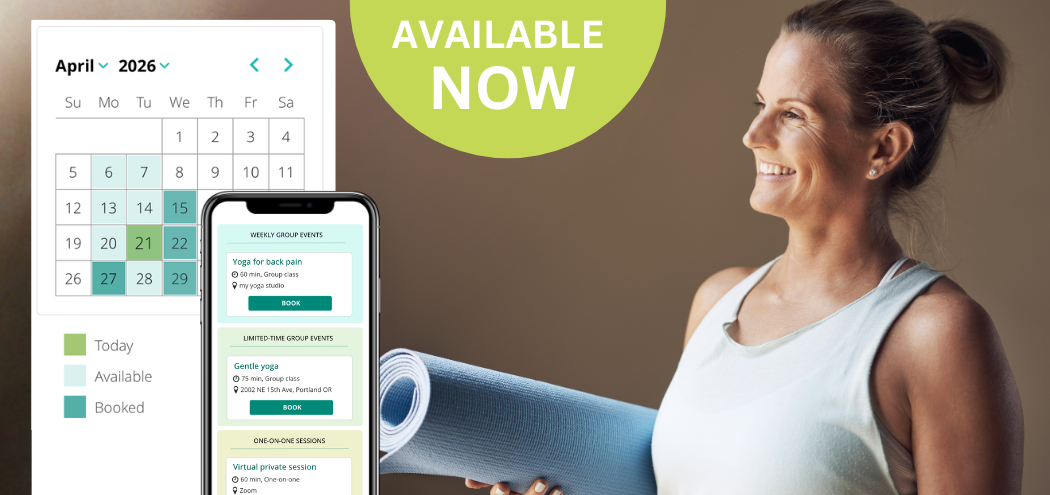
Rise and shine morning yoga. Virtual private yoga session. Yoga for neck tension series. The magic of Gyatri mantra workshop. This is just a small sample of what I taught as a yoga teacher. There were one-on-one sessions and regular classes, limited-time series and one-day workshops. And the scheduling you need for each one is different.
That’s what we kept coming back to as we built the Sequence Wiz scheduling system: yoga teachers and yoga therapists don’t have just one kind of schedule. Some of you run back-to-back private sessions all week. Some teach a couple of community classes and the occasional weekend workshop. Many of you do all of the above.
So we made sure the scheduling tool could handle all of it, without making you set up a different system for each one.
Getting started takes about 5 minutes
- Set your availability. Choose your days, times, and how you want your calendar broken up. This becomes the foundation for everything else.
- Connect your tools. Sync your Google or Apple Calendar to see all of your bookings. If you teach online, connect Zoom or Doxy and your meeting links will be included automatically in booking confirmations.
- Create your events. This is where it gets flexible.
You can set up any combination of:
- Private sessions: One-on-one, in-person or virtual. Students book directly into your open slots — no coordinating required.
- Regular classes: Ongoing or recurring classes students can sign up for and keep coming back to week after week.
- Workshops & limited-time events: A series, a special event, a one-off workshop — set the dates, open enrollment, and choose the maximum number of attendees.
What your students experience
You share a link — to a specific event or your whole calendar — anywhere you like. Your website, an email, a newsletter, even a text. Students click it, see what’s available, pick a time, enter their name and email, and optionally leave you a note. That’s it for them.
On your end, the booking lands on your calendar instantly. From there you can:
- Email students directly from within Sequence Wiz
- Create profiles for new students so their history stays with them
- Launch your Zoom session right from your calendar when it’s time
You can also attach a form, link, or file to your confirmation emails — handy for intake forms, waivers, or pre-class reading you want students to have before they show up.

One more thing: this isn’t a separate app bolted onto Sequence Wiz. It lives right inside the tool you’re already using to plan your classes and track your students. That was intentional — we didn’t want you managing yet another login or switching between tabs just to handle a booking.
If you want to see the whole thing in motion before you dive in, we put together a 2-minute video walkthrough. It’s the fastest way to get a feel for how it all fits together — then you can set up your first event and go from there.
Start your free 14-day trial today!